Composio's local workbench mode lets you run tool execution in a sandbox you own instead of on Composio's servers. The setup hands you an env containing your COMPOSIO_API_KEY, and if you put that key inside the sandbox, anything running there can read it, including untrusted code your agent pulls in. This guide shows how to run Composio from an InstaVM sandbox where the key is injected at the network edge and never exists inside the VM.
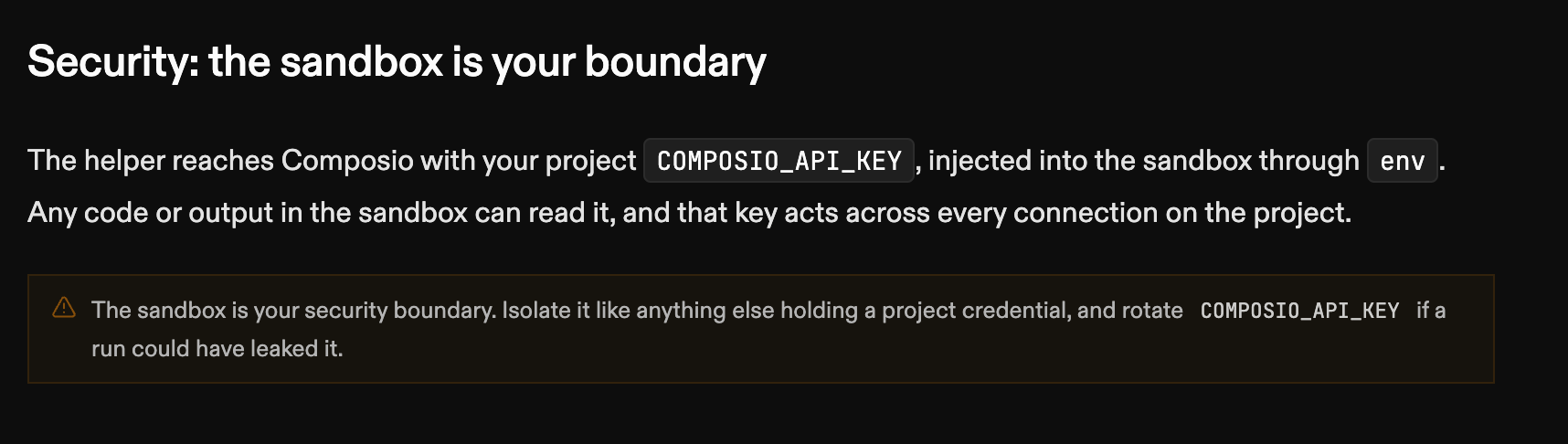
Composio's own docs say as much: the sandbox is your security boundary, and the key is injected into it. If the sandbox is compromised, you rotate the key.
If a PR has a malicious prompt injection and your PR reviewer running inside the sandbox is tricked, it can leak the Composio key.
With InstaVM's vault feature the sandbox never sees the key, so there is nothing in the box to leak.
What local workbench mode is
By default, Composio executes tools for you on its side. It also lets you turn that managed execution off and run the tools in a sandbox you own. That's the "local workbench" mode, and it's where you get to pick the sandbox. Here we use InstaVM.
A local workbench session is a normal Composio session with execution turned off:
import { Composio } from '@composio/core';
import { experimental_createLocalWorkbenchSession } from '@composio/experimental/workbench';

const composio = new Composio({ apiKey: process.env.COMPOSIO_API_KEY });

const session = await composio.create('my-user', {
  toolkits: ['github'],
  workbench: { enable: false }, // Composio won't run code for you
});

const { helperSource, env } = await experimental_createLocalWorkbenchSession(composio, session);
You get back two things:
helperSource— a Python helper exposingrun_composio_tool,invoke_llm, andweb_search. Your agent imports it and calls those.env— the variables the helper needs to reach Composio, including yourCOMPOSIO_API_KEY.
Composio still does discovery, auth, and the actual tool execution on its side. Your job is only to run the helper somewhere. In this guide, that's an InstaVM VM.
The key problem — do not do this
That env contains your project COMPOSIO_API_KEY. The tempting shortcut is to
set it in the sandbox, either as an env var or, worse,
export COMPOSIO_API_KEY=... && run. Either way the plaintext key is now
inside the VM. Anything that runs there can read it, including the untrusted
PR code you clone and build. An env var is tidier than a command line, but the
secret sits in the same place either way.
The key doesn't need to be in the box. It only needs to be on the requests that leave the box, headed for Composio. That is what the vault does.
The vault: inject on egress, not in the VM
InstaVM's vault stores the credential server-side (encrypted, never returned by the API again) and injects it into outbound requests at the egress proxy. A transparent MITM sits on the VM's network edge: when the sandbox makes a request to a bound host, the proxy adds the auth header on the way out. The VM never sees the secret.
Composio expects an x-api-key header. Set it up once: store the key, then bind
it to Composio's backend host with that header:
from instavm import InstaVM

client = InstaVM(api_key=INSTAVM_KEY, auto_start_session=False)

vault = client.create_vault("composio")
client.add_vault_credential(vault["id"], name="COMPOSIO_API_KEY", value=COMPOSIO_KEY)

client.add_vault_service(
    vault["id"],
    host="backend.composio.dev",
    auth_config={"type": "api-key", "header": "x-api-key", "key": "COMPOSIO_API_KEY"},
)
Now boot a VM with that vault attached. Attaching the vault is what enables the transparent MITM for those hosts:
vm = client.vms.create(
    vm_lifetime_seconds=600,
    vault_ids=[vault["id"]],
    egress_policy={
        "allow_https": True,
        "allow_http": False,
        "allow_package_managers": False,
        "allowed_domains": ["backend.composio.dev"],
        "allowed_cidrs": [],
    },
)
Make a request to Composio from inside InstaVM
From inside that box, with no key anywhere in the environment, a request to Composio still succeeds:
$ echo "[$COMPOSIO_API_KEY]"
[]
$ curl -s -o /dev/null -w "%{http_code}\n" https://backend.composio.dev/api/v3/toolkits
200
The 200 comes back because the proxy injected the key in transit. The vault's
request log records it as ingress: mitm against the bound service, and if
code in the box sends its own placeholder x-api-key, the proxy overwrites it
with the real one. So Composio's helper can keep reading COMPOSIO_API_KEY from
the environment as it always does; you hand it a placeholder, and the real key
lives in the vault.
The round trip
Write the helperSource you got from experimental_createLocalWorkbenchSession
into the VM (e.g. vm.upload it as composio_helper.py, or write it with a
file API), set the placeholder env vars from env, and drop in an agent that
calls a tool:
# agent.py, running inside the InstaVM sandbox
import composio_helper as helper

data, error = helper.run_composio_tool("GITHUB_GET_THE_AUTHENTICATED_USER", arguments={})
print(error or data["data"]["login"])
The call leaves the sandbox, the proxy adds the real Composio key to it, it hits Composio, runs the GitHub action under the user's connection, and comes back. Tool execution happens in a box you control; discovery and auth stay managed by Composio; the secret stays in the vault.
host (session, execution off)
  → InstaVM VM (vault attached, egress locked, no key inside)
  → run_composio_tool
  → egress proxy injects x-api-key
  → Composio (resolve + execute)
  → result
You bring a Composio key and a place to run code. Composio brings the tools. InstaVM keeps the key out of the sandbox entirely.
Keep egress narrow
The egress policy above allows exactly one host. Even if untrusted PR code
wanted to exfiltrate whatever it could find, the box can only talk to
backend.composio.dev, and the only credential in play is one it can use but
never read. Rotate it from the vault whenever you want without touching the
sandbox.
FAQ
Can Composio run tools in my own sandbox?
Yes. Create a session with workbench: { enable: false } and run the returned
Python helper wherever you like. Composio keeps handling discovery, auth, and
tool execution; your sandbox only runs the helper.
How do I keep the COMPOSIO_API_KEY out of the sandbox?
Store it in an InstaVM vault bound to backend.composio.dev with an
x-api-key auth config. The egress proxy adds the header to outbound requests,
so no process inside the VM can ever read the key.
What happens if the sandbox sets its own x-api-key header?
The proxy overwrites it with the vaulted key for the bound host. That's why the
helper can keep reading COMPOSIO_API_KEY from the environment: you give it a
placeholder and the real value is applied in transit.
What if the sandbox is compromised?
There is no key to steal, and egress is limited to backend.composio.dev. If
you still want to rotate, update the credential in the vault; no sandbox
changes needed.
Try it
Every InstaVM account gets free compute to start. Grab a key at instavm.io, a Composio key at composio.dev, put the Composio key in a vault, and run your agent in a VM instead of on your laptop.